
Download PhotoToComic – Free Comic Maker, Turn Photos into Comic Strips
Overview
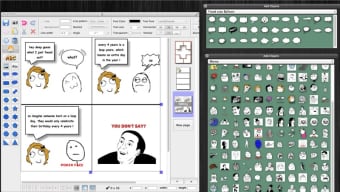
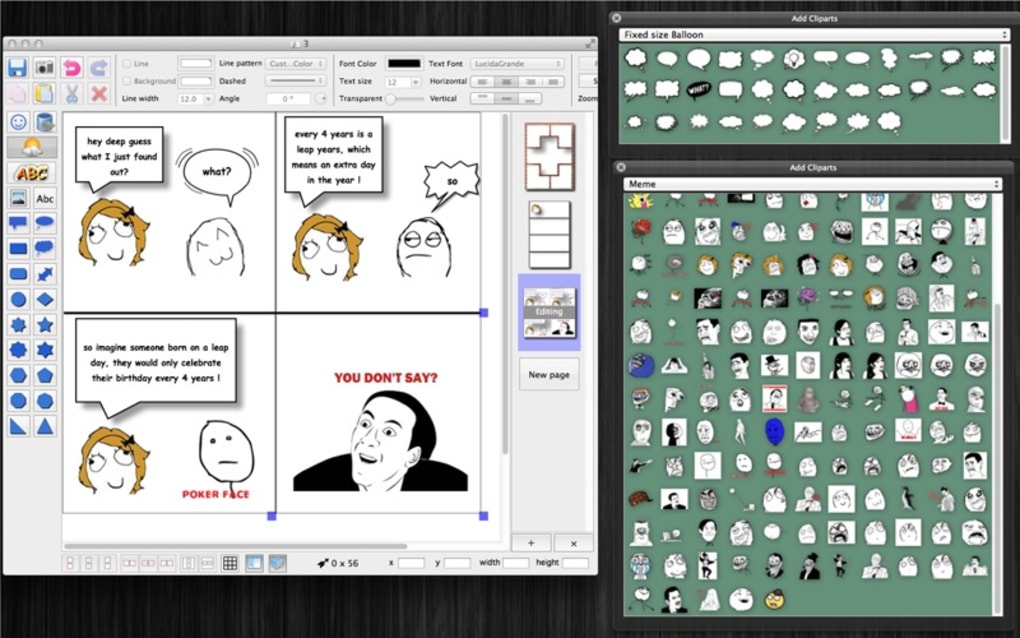
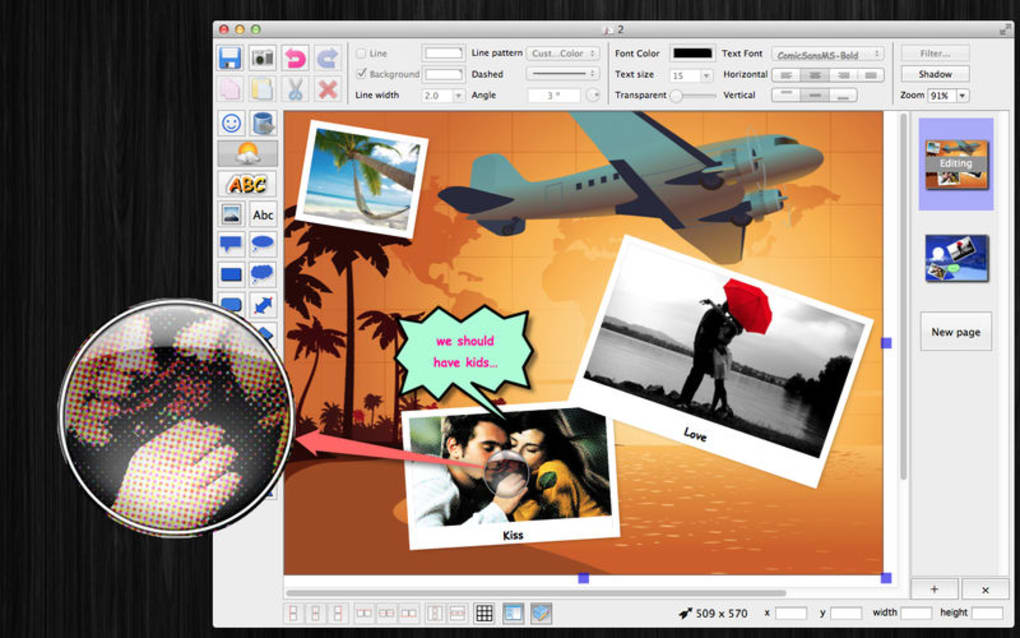
PhotoToComic is a lightweight yet surprisingly powerful desktop application designed to turn ordinary photos and images into vibrant comic‑strip layouts. Inspired by well‑known tools such as Comic Life, PhotoToComic delivers a full suite of comic‑creation assets—including pre‑designed frames, templates, expressive fonts, emojis, speech bubbles, and a variety of filters—so users can craft humorous stories, memes, or even short graphic‑novel pages without a steep learning curve. The interface is intentionally clean: drag‑and‑drop your picture onto a panel, select a template, and add speech bubbles or effects with a single click.
Because the software stores its assets locally, the process stays fast and secure, even when working with high‑resolution images. Whether you’re a casual meme creator, a teacher looking to spice up lesson plans, or an aspiring comic artist seeking a quick prototype tool, PhotoToComic offers an accessible entry point that doesn’t sacrifice creative flexibility. The app also supports exporting to common image formats (PNG, JPEG) and PDF, making it easy to share your finished strips on social media, embed them in presentations, or print them as a physical booklet.
In short, PhotoToComic blends simplicity with a surprisingly rich feature set, positioning itself as a go‑to solution for anyone who wants to add a comic‑style flair to their photos.
Key Features
- Template Library: Over 30 ready‑made comic layouts ranging from classic 3‑panel strips to multi‑page storyboard formats.
- Drag‑and‑Drop Canvas: Intuitive placement of photos, speech bubbles, and decorative elements with real‑time preview.
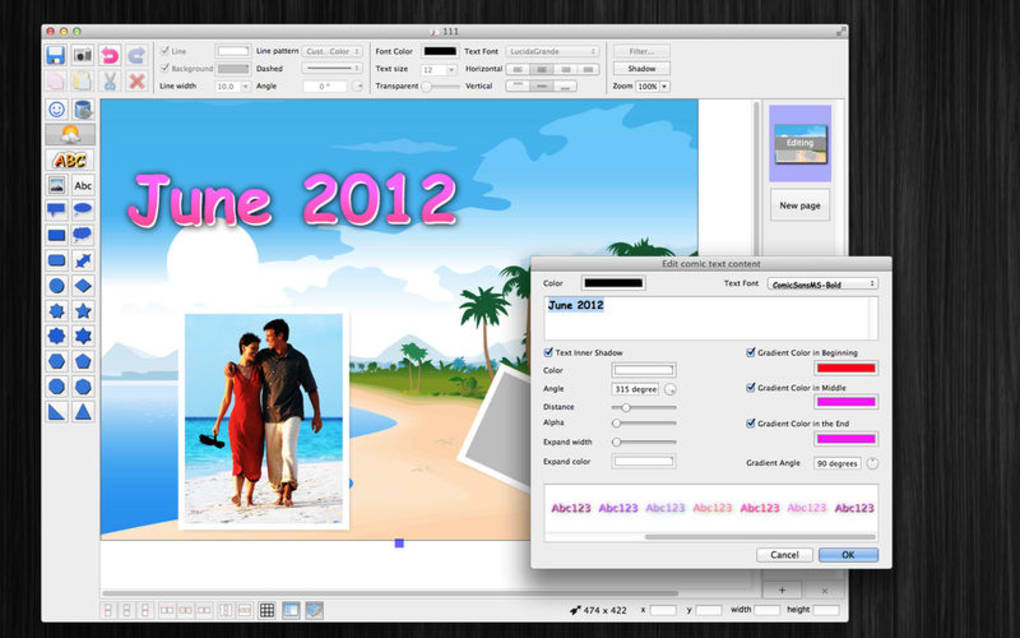
- Customizable Speech Bubbles: Adjustable tail direction, font style, color palettes, and automatic text wrapping.
- Filters & Effects: Built‑in comic‑style filters (halftone, ink outlines, watercolor) to give photos an authentic illustrated look.
- Emoji & Sticker Pack: A curated collection of emojis, action lines, and onomatopoeia stickers to enhance storytelling.
- Export Options: Save projects as high‑resolution PNG, JPEG, or PDF; batch export for multi‑page comics.
- Layer Management: Simple layer ordering for foreground/background control, ensuring elements appear exactly where you want them.
- Auto‑Save & Cloud Sync: Periodic auto‑saving and optional sync with Dropbox or Google Drive for backup and collaboration.
- Multi‑Language Support: Interface available in English, Spanish, French, German, and Japanese.
- Free Updates: Ongoing feature updates and bug fixes delivered automatically through the built‑in updater.
Installation & Usage Guide
Getting started with PhotoToComic is deliberately straightforward. The installer is a small .exe for Windows or a .dmg for macOS, both of which can be downloaded from the official website. After downloading, run the installer and follow the on‑screen prompts: accept the license agreement, choose an installation folder (the default works for most users), and let the wizard copy the necessary files. The entire process typically completes in under two minutes on a standard broadband connection.
Once installed, launch PhotoToComic from your desktop shortcut or applications folder. The first time you open the app, you’ll be greeted with a brief tutorial overlay that highlights the main toolbar, the template selector, and the canvas area. To create a comic, click the “New Project” button, select a template that matches the story length you desire, and then import your photos by dragging them from your file explorer directly onto the panels. Each panel automatically scales the image to fit, but you can fine‑tune the positioning using the “Crop & Zoom” tool.
Adding dialogue is as simple as clicking the speech‑bubble icon, choosing a style, and typing your text. The software automatically adjusts font size to keep the text readable within the bubble, though you can override this manually if you prefer a particular aesthetic. For extra flair, explore the “Filters” menu to apply comic‑style shading or color‑grading; preview changes instantly before committing.
When your comic strip looks polished, head to the “Export” menu. Choose your desired file format—PNG for individual panels, JPEG for a single‑image collage, or PDF for a multi‑page booklet. The export dialog also lets you set DPI (dots per inch) for print quality; a setting of 300 DPI is recommended for physical copies. Finally, click “Export,” select a destination folder, and your comic is ready to share on social media, embed in a presentation, or print at your local shop.
For users who prefer to keep their work in the cloud, PhotoToComic offers a one‑click “Sync to Cloud” option. After linking your Dropbox or Google Drive account, the app will automatically upload the project file, enabling you to resume editing on another machine without manual file transfers. The built‑in updater checks for new releases each time the application starts, ensuring you always have the latest features and security patches.
Compatibility, Pros & Cons
PhotoToComic runs natively on Windows 10/11 (64‑bit) and macOS 11 (Big Sur) or later. The developers have optimized the codebase to use minimal system resources, meaning the app works smoothly on laptops with as little as 4 GB of RAM. There is currently no mobile version, but the desktop focus allows for richer editing tools and higher‑resolution output, which are essential for professional‑grade comic creation.
Pros
- Intuitive drag‑and‑drop workflow reduces learning time.
- Extensive library of templates, speech bubbles, and filters.
- Free core version with regular updates and no hidden fees.
- Export to PDF makes it easy to produce printable comic books.
- Cloud sync option for seamless multi‑device work.
- Low system requirements; runs well on older hardware.
Cons
- No dedicated iOS or Android app, limiting on‑the‑go editing.
- Advanced typography features (e.g., custom fonts) require manual installation.
- Limited collaborative editing; only one user can edit a project at a time.
- Some premium sticker packs are sold separately.
PhotoToComic delivers a solid balance of simplicity and creative power. While it lacks a mobile companion, the desktop application shines with its rich template collection and easy‑to‑use interface. The free version is generous, and the occasional premium stickers are optional rather than mandatory. Overall, it’s an excellent tool for casual creators and educators alike.
Frequently Asked Questions
Is PhotoToComic completely free?
The core application is free to download and use. It includes all essential features such as templates, speech bubbles, and basic filters. Optional premium sticker packs are available for purchase, but they are not required for full functionality.
Can I import images from cloud storage services?
Yes. PhotoToComic supports direct import from Dropbox, Google Drive, and OneDrive. Simply click the “Import from Cloud” button, sign in to your account, and select the images you want to use.
What file formats can I export my comic to?
You can export as PNG, JPEG, or PDF. PDF export is especially handy for multi‑page comics or for sending a printable booklet to a professional printer.
Is there a limit to the number of panels per comic?
The free version includes templates up to 12 panels. If you need larger layouts, you can create custom pages by adding additional blank panels manually.
Does PhotoToComic run on Windows 7 or older macOS versions?
The official system requirements start at Windows 10 (64‑bit) and macOS 11 (Big Sur). While it may launch on older OS versions, functionality and performance are not guaranteed.
Conclusion & Call to Action
PhotoToComic stands out as a free, secure, and user‑friendly tool for turning everyday photos into eye‑catching comic strips. Its robust template library, easy drag‑and‑drop workflow, and cross‑platform compatibility make it an ideal choice for creators of all skill levels. Whether you’re looking to spice up a presentation, craft a meme, or design a short graphic novel, PhotoToComic gives you the tools you need without a steep learning curve or hidden fees. Ready to bring your photos to life? Download PhotoToComic now and start creating comic magic today.







